
Overview
I just tried to update my ‘default’ installation of System Center Configuration Manager (SCCM / ConfigMgr) 2012 RC1 to RC2. I got a failure at the pre-req check stage stating that my SQL 2008 R2 database was using the wrong collation type and that installation couldn’t continue. It turns out that the default collation that I had used when I installed SQL 2008 R2 (a next…next…next…finish install) was no good. I’m not sure why ConfigMgr 2012 RC1 was happy with that configuration but RC2 certainly wasn’t!
This article states the supported database configuration for ConfigMgr 2012 – it doesn’t appear to mention collation type but apparently this will be updated in the future: http://technet.microsoft.com/en-us/library/gg682077.aspx#BKMK_SupConfigSQLDBconfig
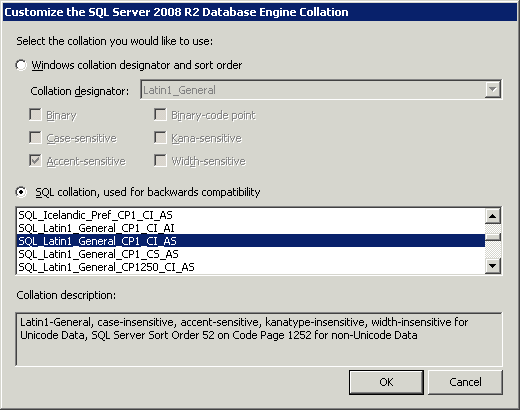
The supported collation type is: SQL_Latin1_General_CP1_CI_AS
Example
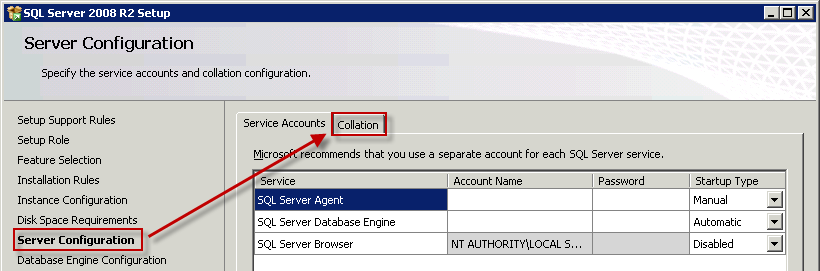
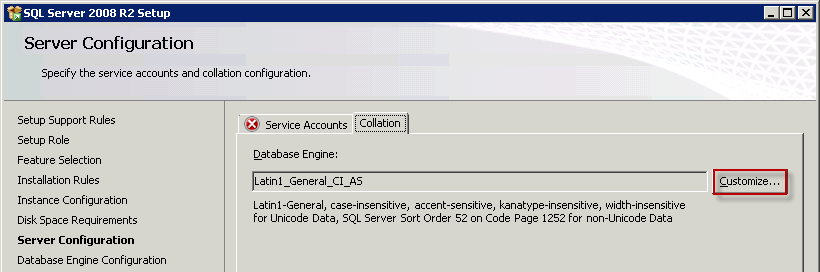
For reference, here are some screenshots on how to set this collation type during the installation of SQL Server 2008 R2.